
Google Drive receipt organiser
Keep the original receipt and the expense it explains connected. Gexpense files your attachments in your own Google Drive and records their details in your own Google Sheet.
Your files and spreadsheet stay in your Google account.
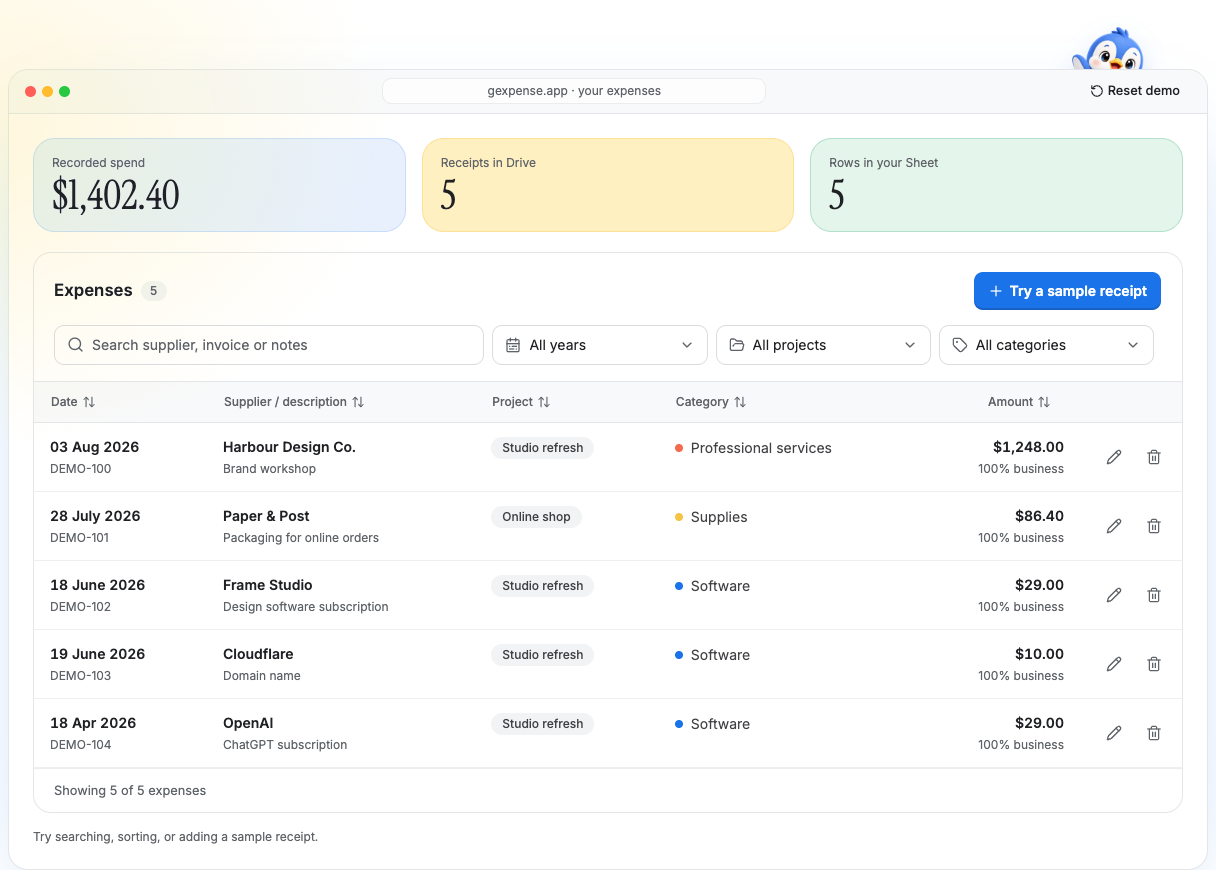
A folder for the files. A tracker for finding them.
During setup, connect the receipt folder and expense Sheet in your Google account. When you save an expense with an attachment, Gexpense uploads that original file to the connected folder and keeps its Drive link with the expense record.
Search by supplier and filter by financial year, project or category in Gexpense. Use the linked receipt to check the original purchase instead of trying to reconstruct it from a file name.
For example, you can find a fictional Little Fern Stationery purchase under Office supplies, check its AUD 42.80 amount and invoice LF-2086, then open the original attached receipt.
See how the receipt becomes a reviewed Sheet rowShare the spreadsheet and the evidence.
A spreadsheet link alone does not give someone access to its receipts. Share both the Sheet and the Drive folder with the right people, then check a few receipt links from their account.
- Review the supplier, date, amount and category before sharing.
- Keep a useful description and invoice number where available.
- Flag missing documents and unresolved details for follow-up.
Questions about Drive storage
- Does Gexpense need access to my whole Drive?
- Gexpense uses Google's drive.file permission. It can work with files created through Gexpense and files you explicitly select for the app to use.
- Does it automatically sort receipts into year or month folders?
- Gexpense saves attachments in the connected receipt folder. Use dates, projects and categories to find expenses in the tracker. If you prefer a manual year-and-month folder structure, follow the Drive organisation guide.
- Can I share the records with my accountant?
- Share the Google Sheet and receipt folder through Google Workspace with the access your accountant needs. Check that they can open the linked receipt files as well as the spreadsheet.